QR Code for WhatsApp
With QR Dada, you can create a qr code for whatsapp so people can start a chat with you in one scan. It is useful for support, sales, and day to day business messages. Many users call this a simple whatsapp qr code because it saves time for both you and your customers.
Create WhatsApp QR CodeWhat is a WhatsApp QR Code?
A WhatsApp QR Code stores your WhatsApp number and an optional ready message. When someone scans a qr code for whatsapp, WhatsApp opens with your chat ready, so they can message you without saving your contact. You can also share your profile using a whatsapp qr code link, which makes it easier for people to reach the right account.
WhatsApp QR codes help businesses talk to customers faster, especially if you use WhatsApp Business. We built our qr code generator for whatsapp to make this setup quick and reliable for any business.
Pro Tip: Pre-fill messages with keywords to automatically categorize incoming chats.
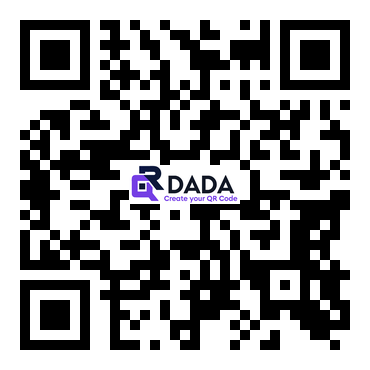
Example: WhatsApp QR Code
Perfect for
Sales Inquiries
Let customers message your sales team on WhatsApp for product questions and orders using a qr code for whatsapp.
Customer Support
Give customers a direct way to reach support. They scan and message you instantly, even if they are using a WhatsApp QR code scanner from their camera.
E-commerce
Help people ask about products, delivery, or order updates through a WhatsApp number QR code that opens chat in one step.
How to Create a WhatsApp QR Code
Enter WhatsApp Number
Add your WhatsApp number with the country code. This is the base for your qr code for WhatsApp and works smoothly with our QR code generator for WhatsApp numbers.
Add Pre-filled Message
Write a short greeting or prompt that people can send. It helps you guide the conversation.
Customize Design
Add WhatsApp colors, your logo, and branding using our WhatsApp QR code generator.
Share and Display
Place it on packaging, posters, websites, or marketing material. You can generate and update it anytime when you generate a WhatsApp QR code inside QR Dada.
Benefits of WhatsApp QR Codes
Instant Messaging
People can start chatting with you right away using a QR code for WhatsApp.
Global Reach
WhatsApp is used worldwide, so you can reach customers easily.
Rich Messaging
Send photos, videos, documents, and voice notes in chat.
Secure and Private
WhatsApp protects chats with end-to-end encryption.
Business Features
Use WhatsApp Business tools like catalogs and auto replies, and connect them with a qr code generator for WhatsApp chat for faster access.
High Engagement
WhatsApp messages get opened quickly, so more people respond.
Frequently Asked Questions
Do I need WhatsApp Business to use WhatsApp QR codes?
No. Our QR code for WhatsApp works for both normal WhatsApp and WhatsApp Business. Business accounts just get extra tools.
Can users edit the pre-filled message before sending?
Yes. The message is only a rough draft. People can change it before sending.
Will WhatsApp QR codes work in all countries?
Yes, as long as WhatsApp works in that country. Always include the country code in your number when you create the QR.
Can I track how many people scanned my WhatsApp QR code?
You will see incoming messages in WhatsApp. If you want to scan data like counts and locations, use our dynamic QR codes.
Connect With Customers on WhatsApp
Create WhatsApp QR codes and make business communication effortless!
Create WhatsApp QR Code Now