
QR Code for Email
With QR Dada, you can create a QR Code for Email that opens a ready email with the recipient, subject, and message already filled. This helps customers contact you faster and reduces back and forth. Our qr code generator email tool is built for support, feedback, and fast contact.
Create Email QR CodeWhat is an Email QR Code?
An Email QR Code is a QR that opens the user’s mail app with your email details already added. When someone scans a QR Code for Email, their email screen opens with your address, subject line, and message text ready to send. This is a simple email to QR code method that saves time and avoids typing mistakes. It works smoothly with apps like Gmail, so you can use it as an email QR code Gmail option too.
Email QR codes are useful when you want people to reach you without effort. Many businesses use an email qr code generator to collect queries or feedback in a clean and direct way.
Pro Tip: Pre-fill the subject line to help organize incoming emails and improve response rates.
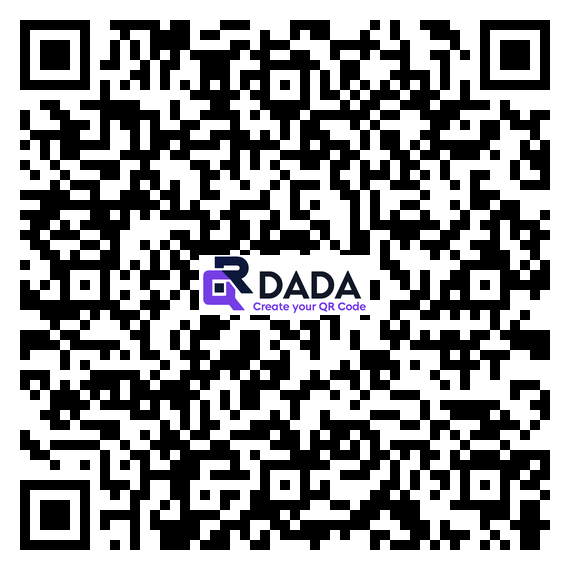
Example: Email QR Code
Perfect for anyone wanting an email QR code or an email ID QR code for instant communication.
Perfect for
Customer Support
We help you set up a QR Code for Email so customers can contact your support team in one scan. It works like a direct qr code generator for email for daily support needs.
Feedback Collection
Use an email QR code so customers can send feedback quickly without typing your address or subject every time.
Business Cards
Add a QR Code for Email to your business card so people can email you instantly. This works as a QR code for email address and also a clean email ID QR code for professional sharing.
How to Create an Email QR Code
Enter Email Details
Provide recipient email, subject, and optional message content. This is the quickest way to make a QR code email that opens a ready message.
Customize Design
Add colors, logos, and personalize the QR code design.
Generate QR Code
Create your custom QR Code for Email instantly using our tool.
Download & Use
Download and place it on posters, products, flyers, menus, or anywhere people need to reach you.
Benefits of Email QR Codes
Instant Communication
With one scan, users can contact you through a QR Code for Email without typing anything.
Error-Free
No manual typing means no wrong email address or subject errors.
Organized Inbox
Pre-filled subjects help you keep emails sorted.
Mobile Friendly
Works on smartphones and tablets across all major email apps.
Higher Response Rate
When sending is easy, more people actually reach out.
Print Ready
Use it on any printed material without losing scan quality.
Frequently Asked Questions
Will email QR codes work on all devices?
Yes. A QR Code for Email works on any phone that has an email app like Gmail, Outlook, or Apple Mail. People just scan and their email screen opens.
Can users edit the pre-filled message before sending?
Yes, they can change anything. The pre-filled text is only a starting message. They can edit it fully before sending.
How do I know if someone scanned my email QR code?
You will know when you receive their email. If you want scan counts and location data, use our dynamic QR codes with tracking.
Can I include multiple email recipients?
Yes. You can add CC or BCC while creating the QR.
How to scan email qr code?
Scan it with your phone camera or QR scanner. The email app opens automatically with the message ready. You can review it and send.
Ready to Simplify Email Communication?
Create professional email QR code formats and make it effortless for customers to reach you!
Create Email QR Code Now